


Document and invoice workflow
Email, documents and invoices in one system
Flisak reads your email, scans and invoices, then moves them through approval to payment and into the archive.
An invoice, from inbox to bank transfer
Here is how a supplier invoice moves through Flisak. The system prepares every step, and a person checks and approves it.
-
Inbox
Mail gets to the right people
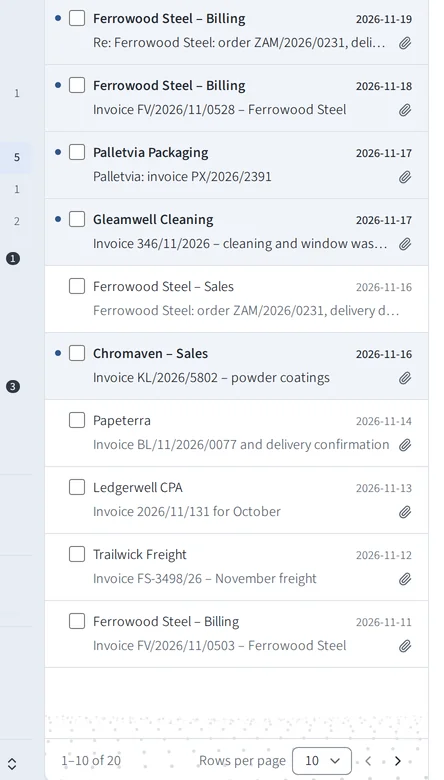
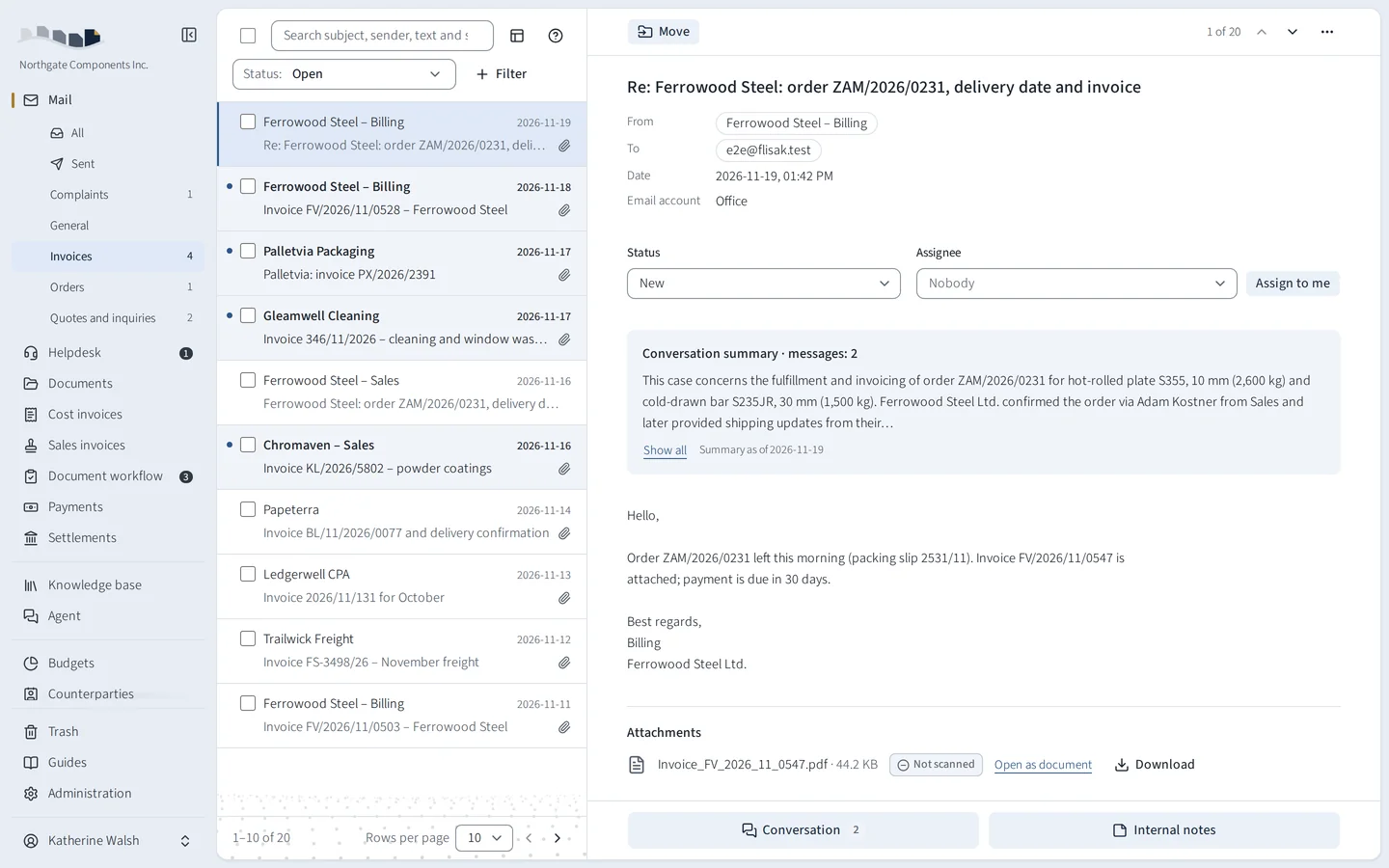
Shared inboxes and scans from network folders come into Flisak. Rules and AI send each message to whoever handles it.
- Assign a message to someone and set its status
- Each conversation comes with a summary
- Invoices attached to emails are picked out as invoices
Mail 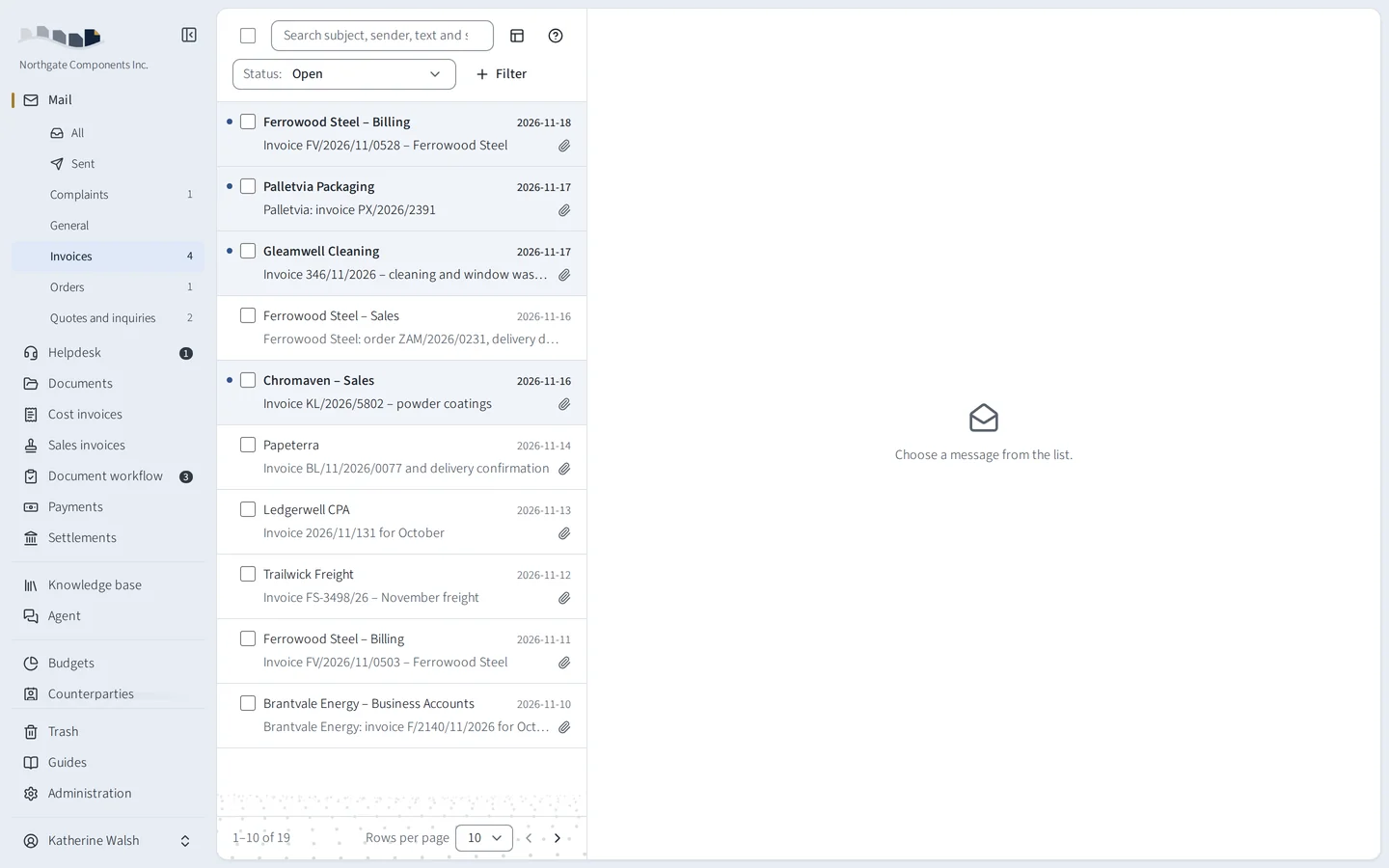
-
Coding
Flisak fills in the invoice and suggests the cost center
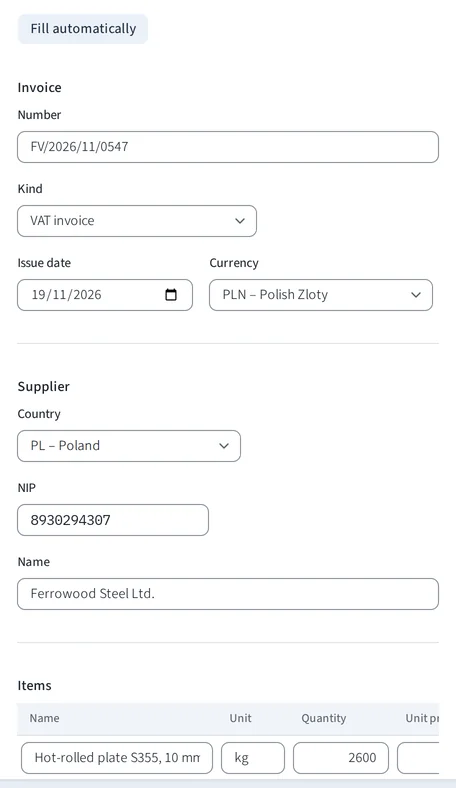
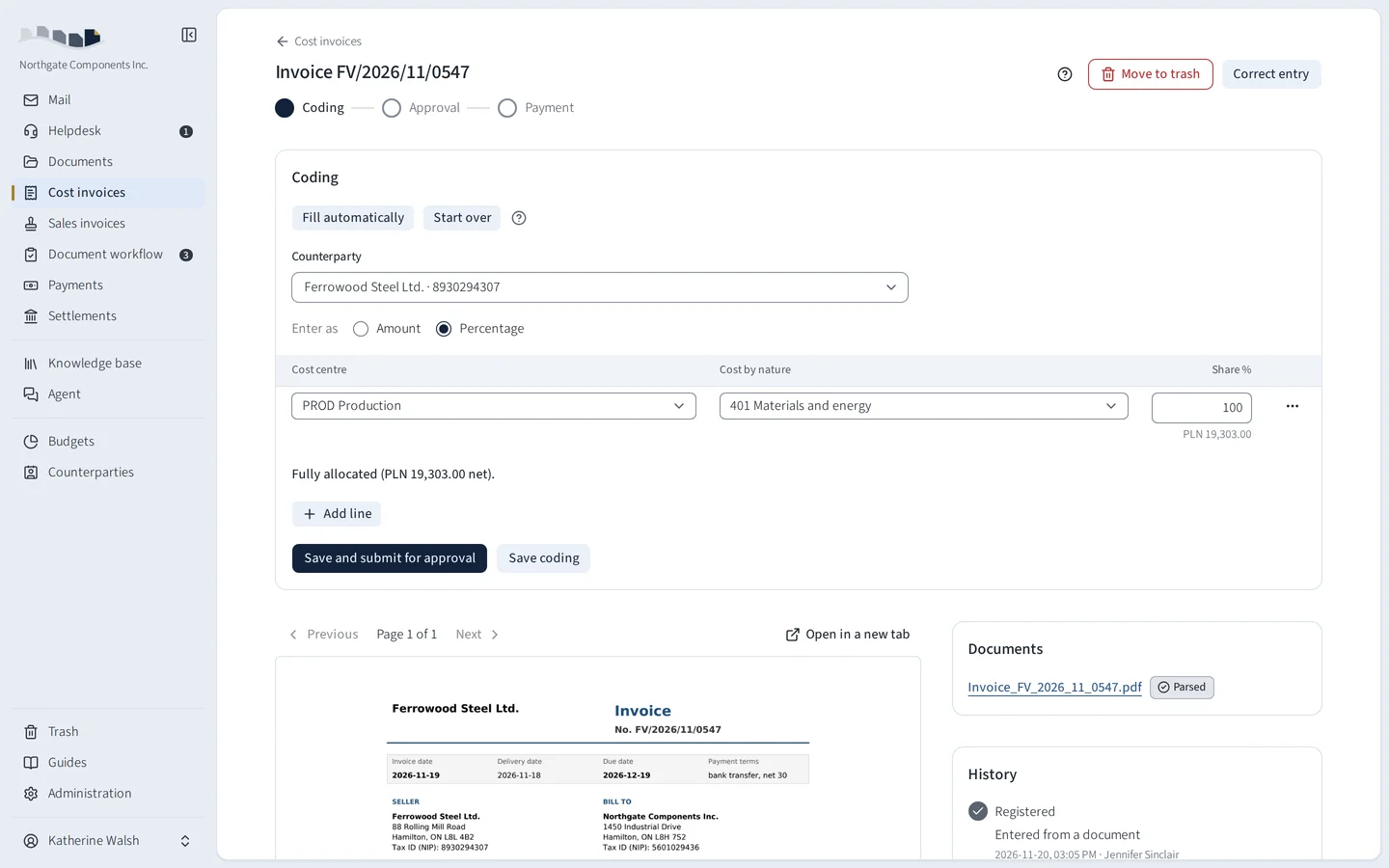
Flisak recognizes the document type and fills in the invoice fields for you to check. It suggests the cost center and expense account from the supplier's earlier invoices.
- The “Fill automatically” button
- Split a cost across cost centers by amount or percentage
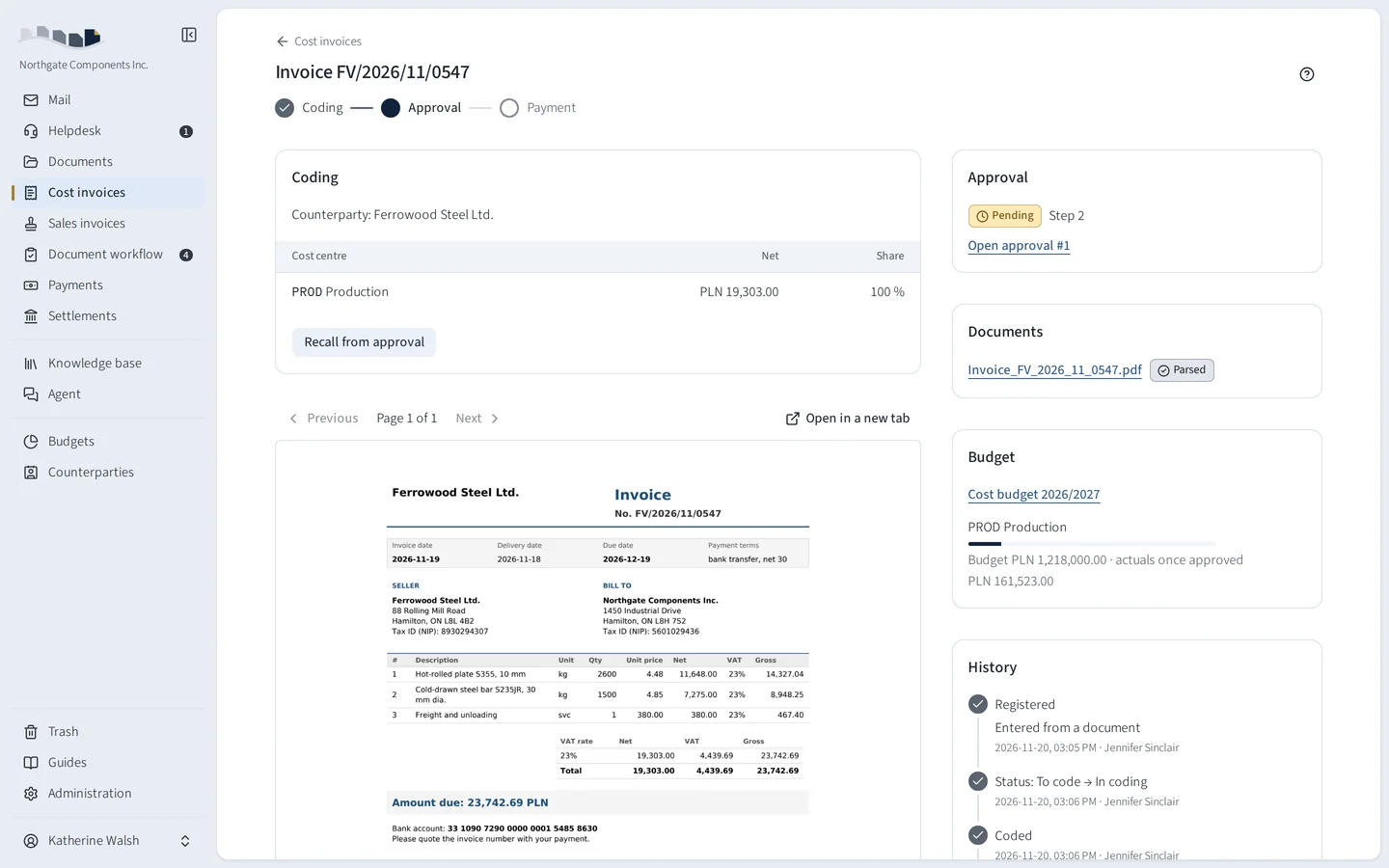
- Submit the coded invoice for approval
Purchase invoice 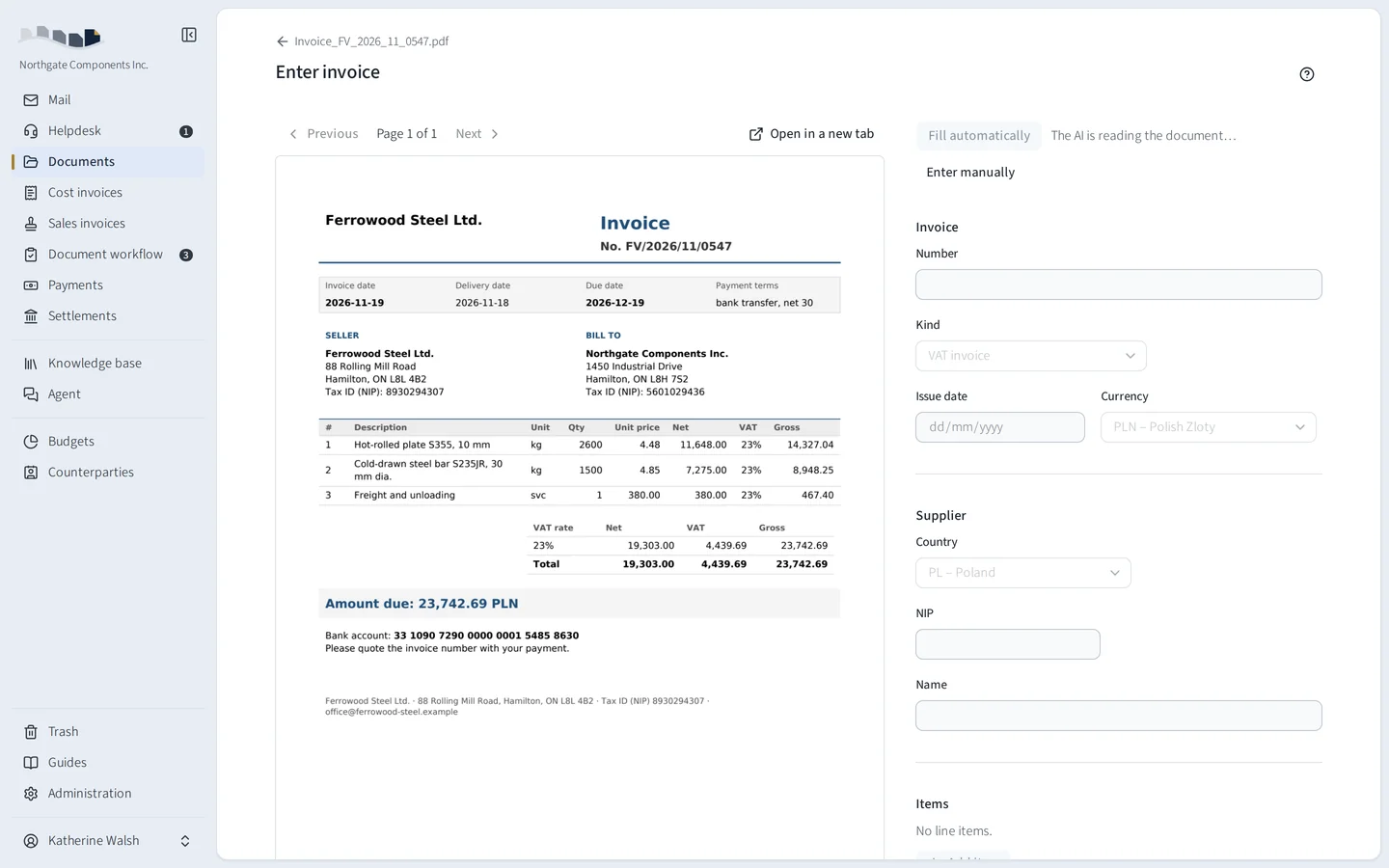
-
Approval
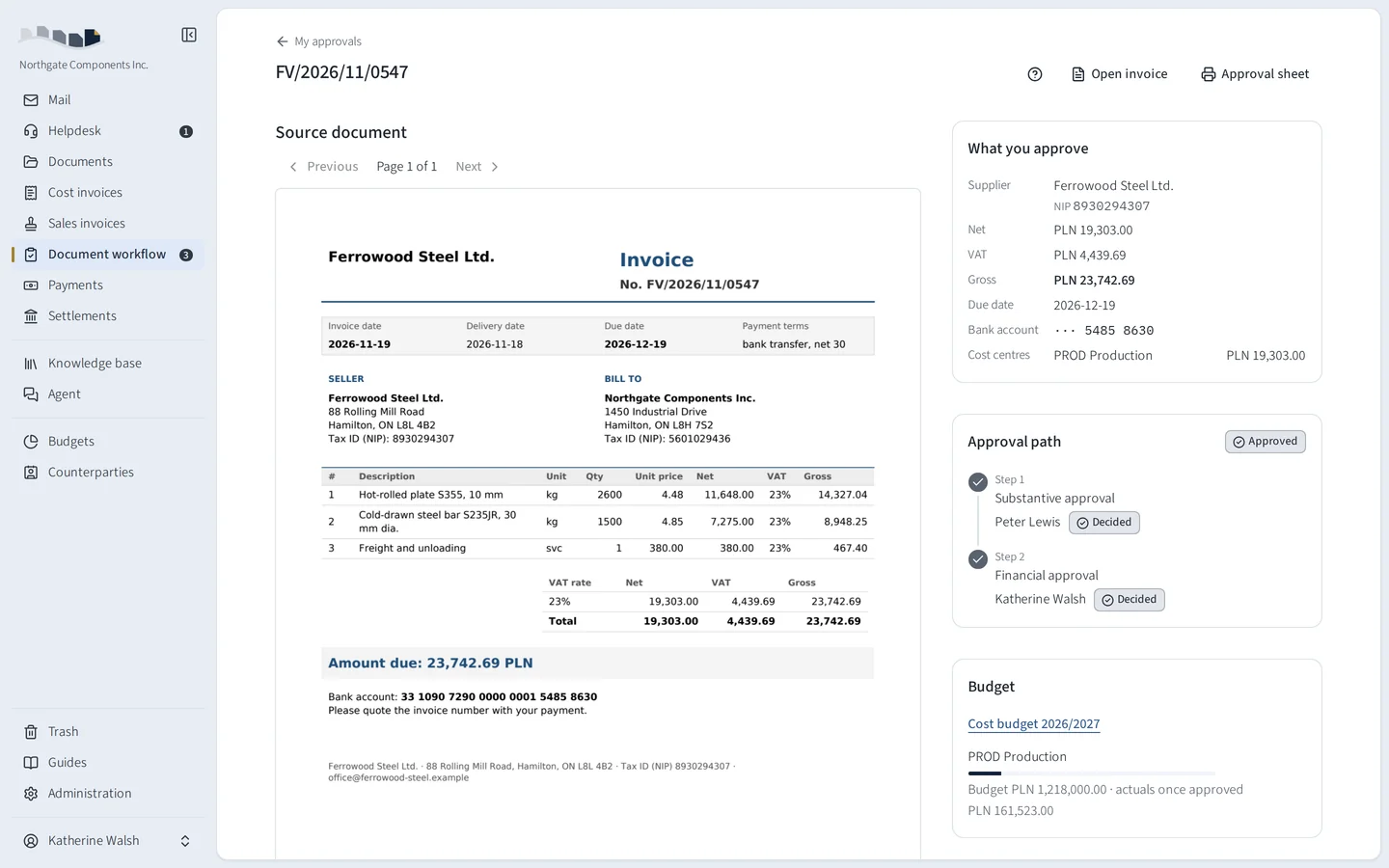
Approval in as many steps as you need
An approval path has stages and amount limits. When someone is away, their deputy decides, and every step stays in the history. Approvers see the budget right next to the invoice.
- Approve, reject or send back for correction
- Rules per cost center, per supplier or company-wide
- Hand a task over to someone else
My approvals 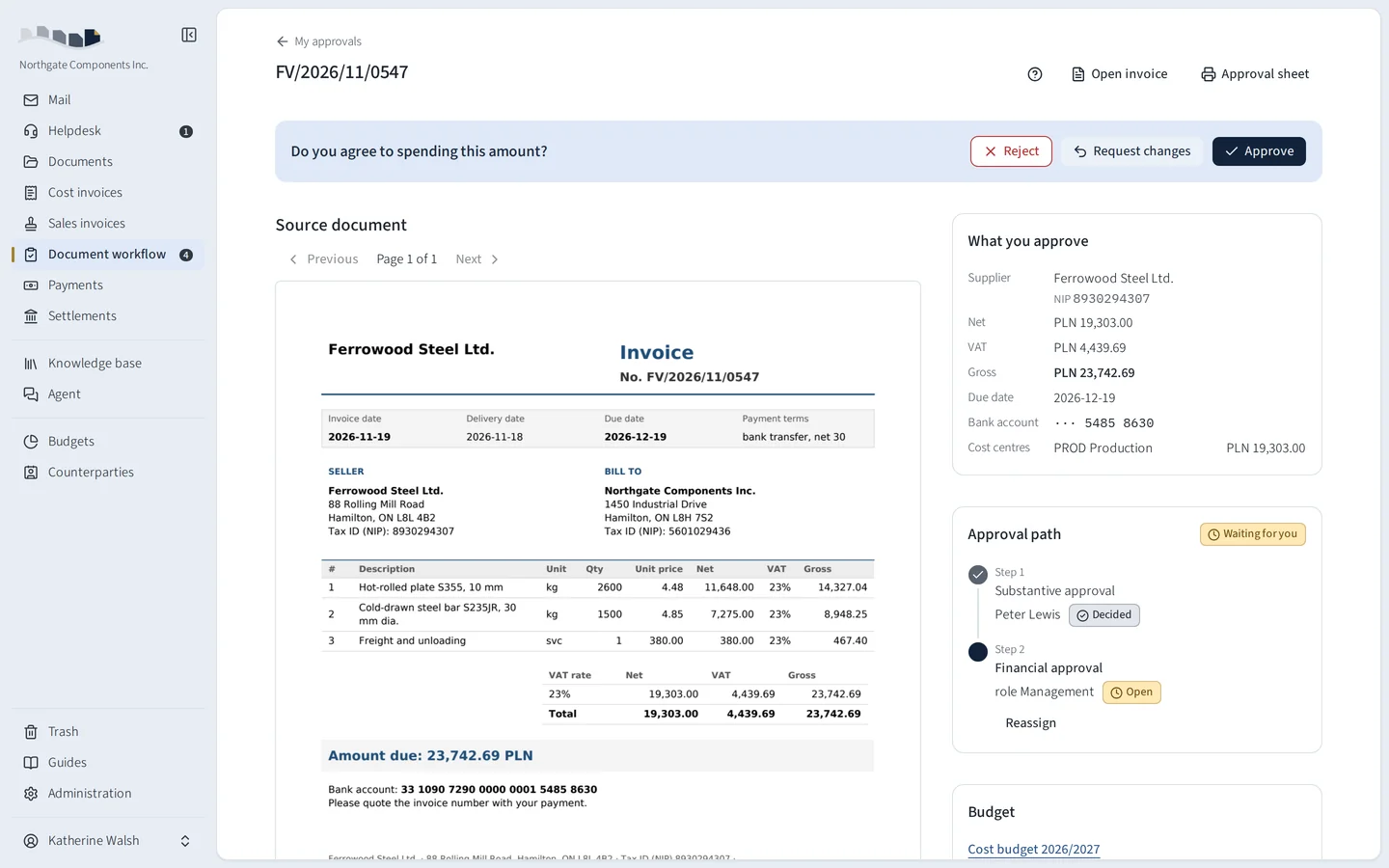
-
Payment batch
Flisak prepares the file for your bank
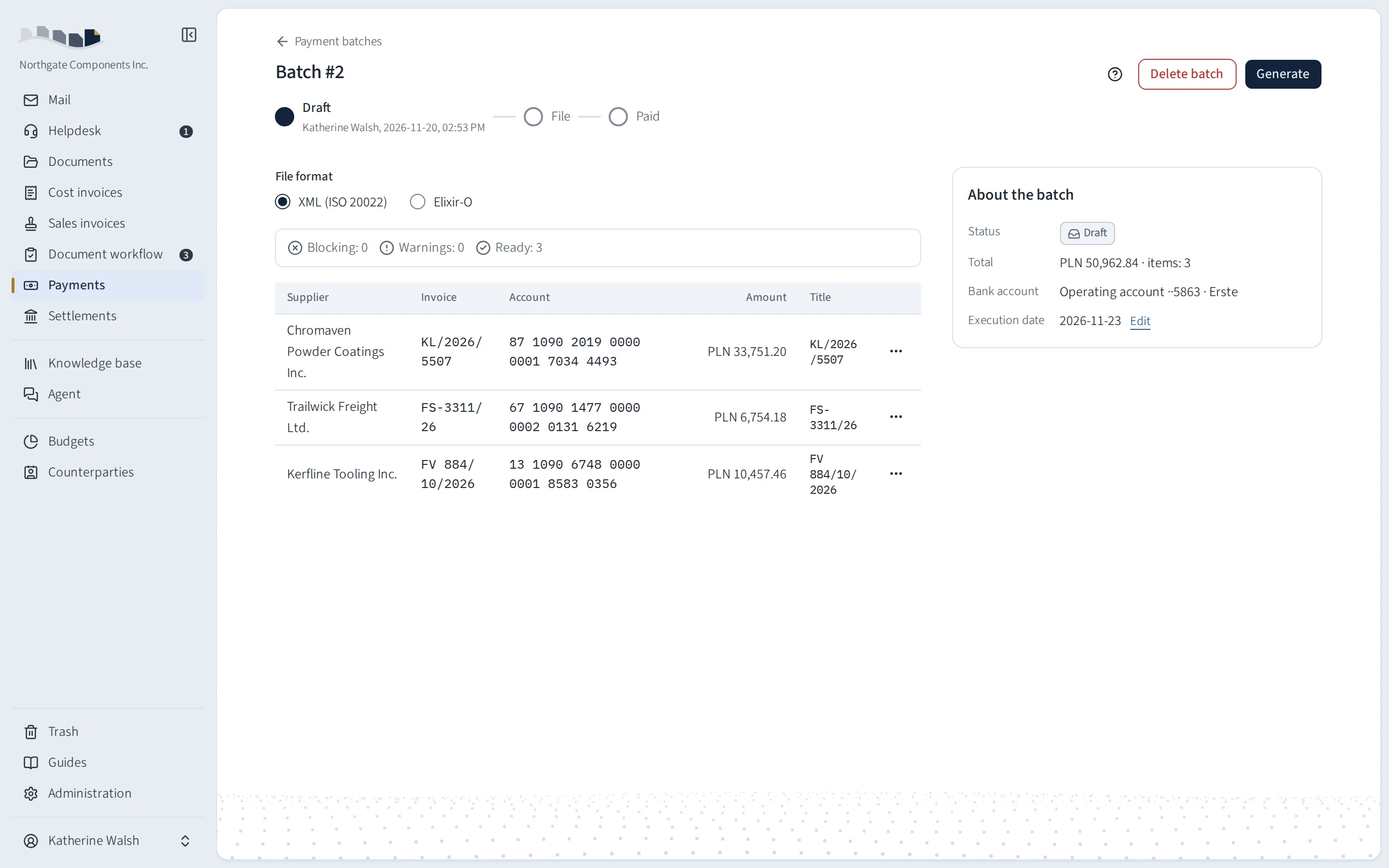
Flisak puts the invoices due into a payment batch and writes the file for your bank. You upload it to online banking and authorize the payments there.
- Collect the invoices due into one batch
- ISO 20022 XML payment file
- Once the file is exported, the invoices are marked “Paid”
Payment batch 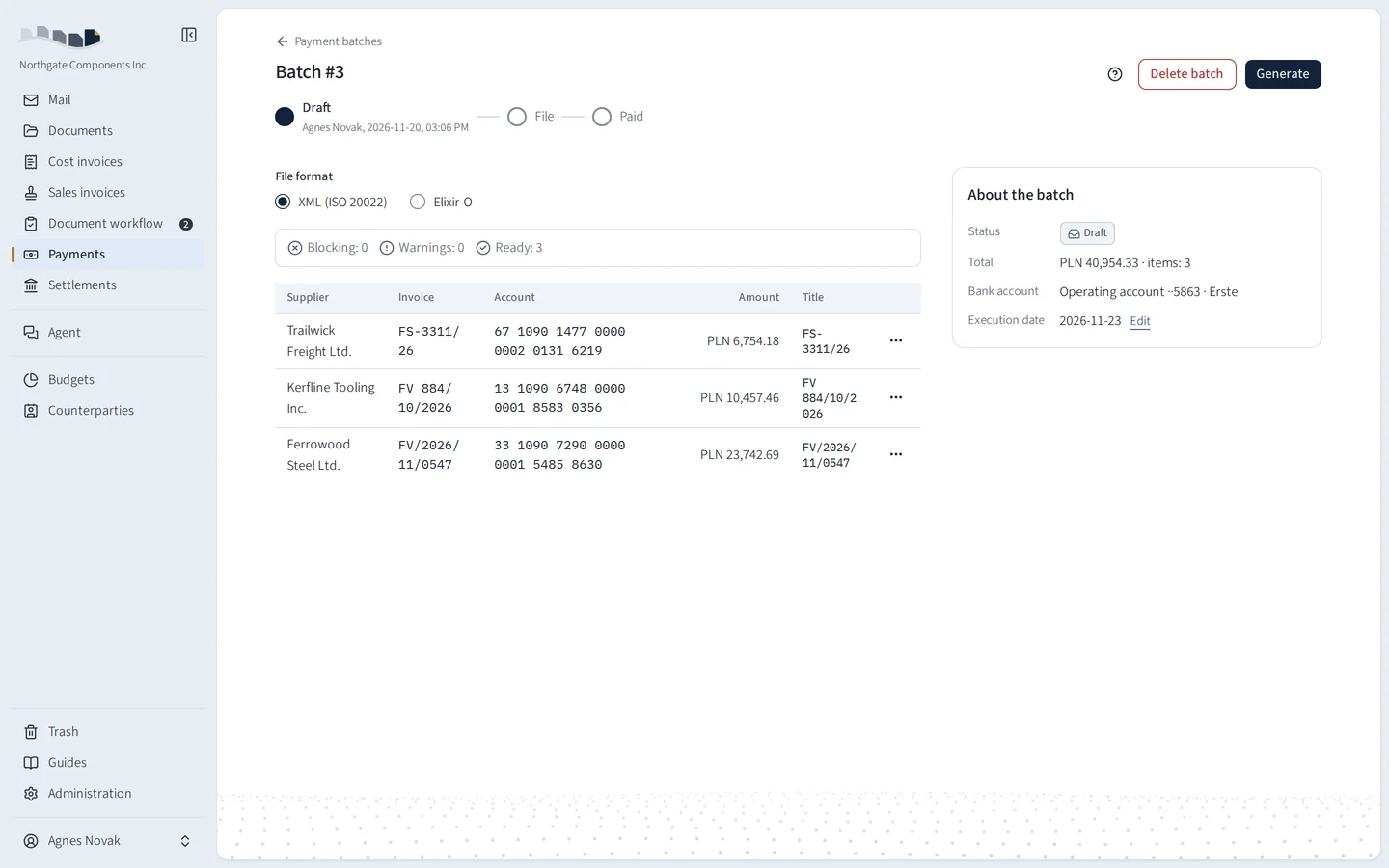
Features
What Flisak does
Helpdesk: every case gets a number, a deadline and a suggested reply
Each conversation on a helpdesk account becomes a case with a number, an owner and a reply deadline. AI flags the urgent ones and drafts a reply that cites your knowledge base.
- Cases from email, phone calls and paper mail
- AI never sends a reply on its own
- Internal notes, input from other teams, full history
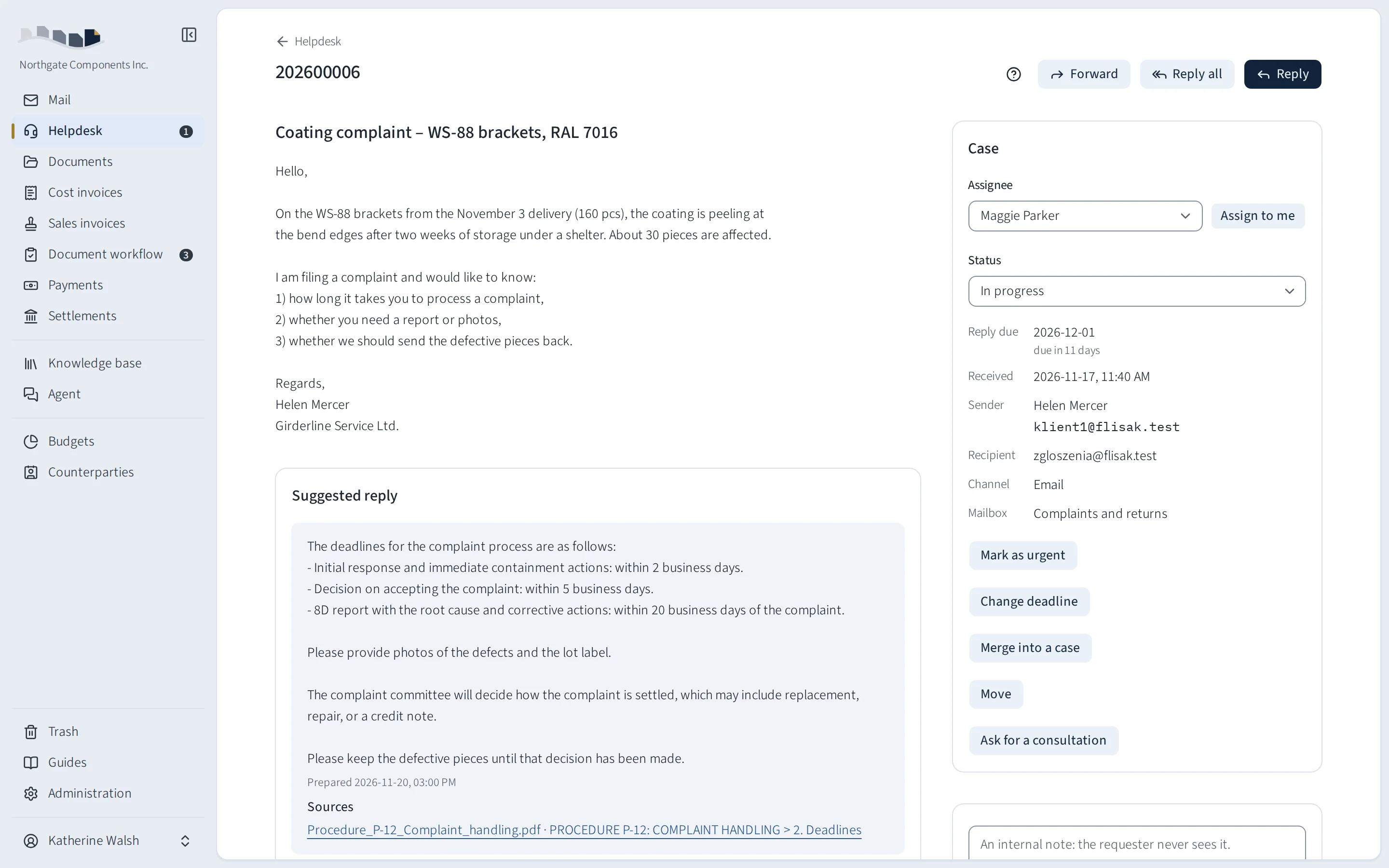
We review complaints within 5 business days. Please send us photos of the faulty parts and their batch labels…
Sources: Procedure P-12, Handling complaints
Invoice coding that learns from your past invoices
Flisak suggests the cost center and expense account from the supplier's earlier invoices and from similar ones. For suppliers you pick, it codes the invoice and submits it for approval by itself.
- Suggestions from a supplier rule or a similar invoice
- Fixed splits across several cost centers
- When the AI isn't sure, the invoice waits for a person
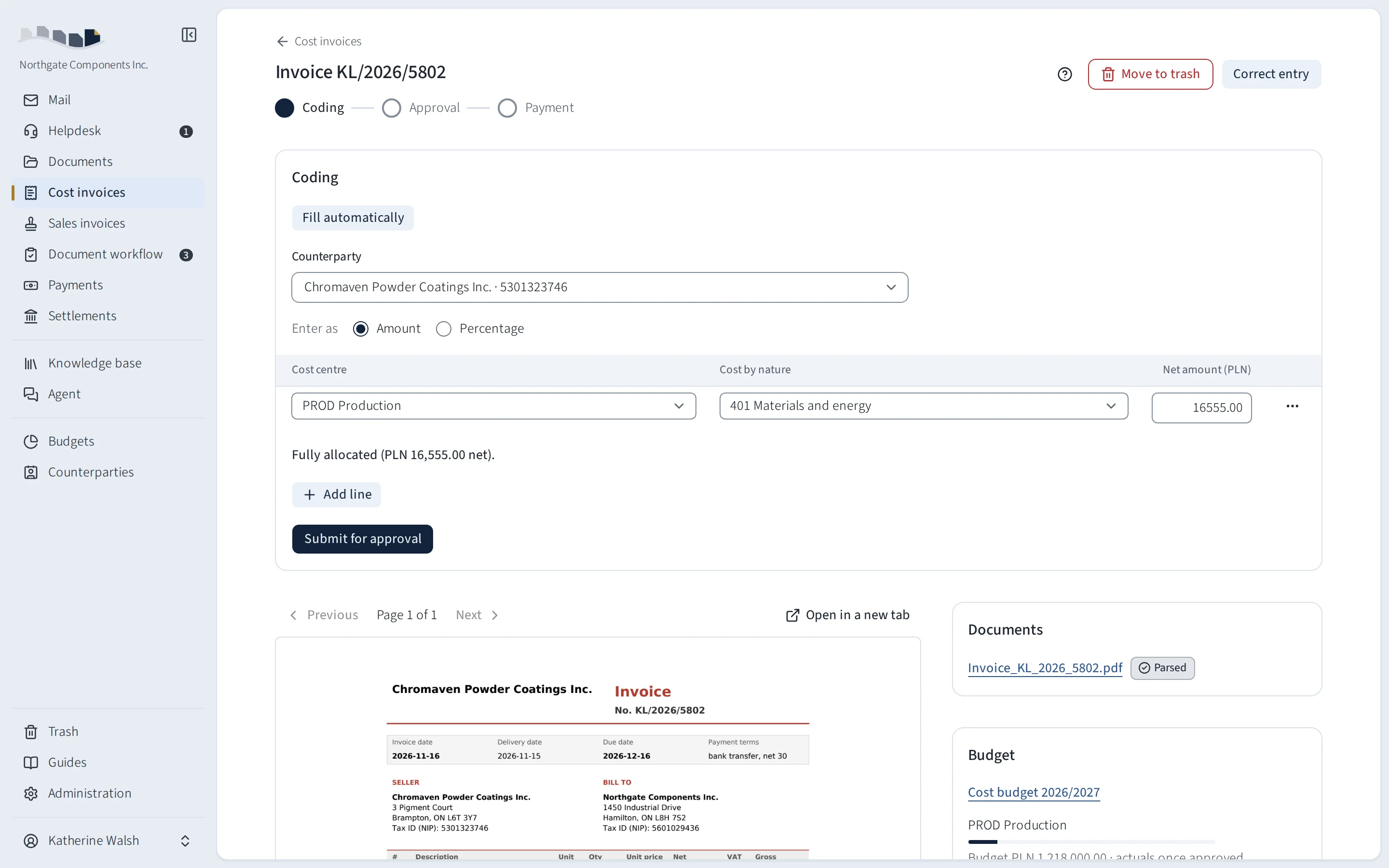
401 Materials and energy70%
402 Outside services30%
Suggested from this supplier's fixed split
Budget actuals that come straight from invoices
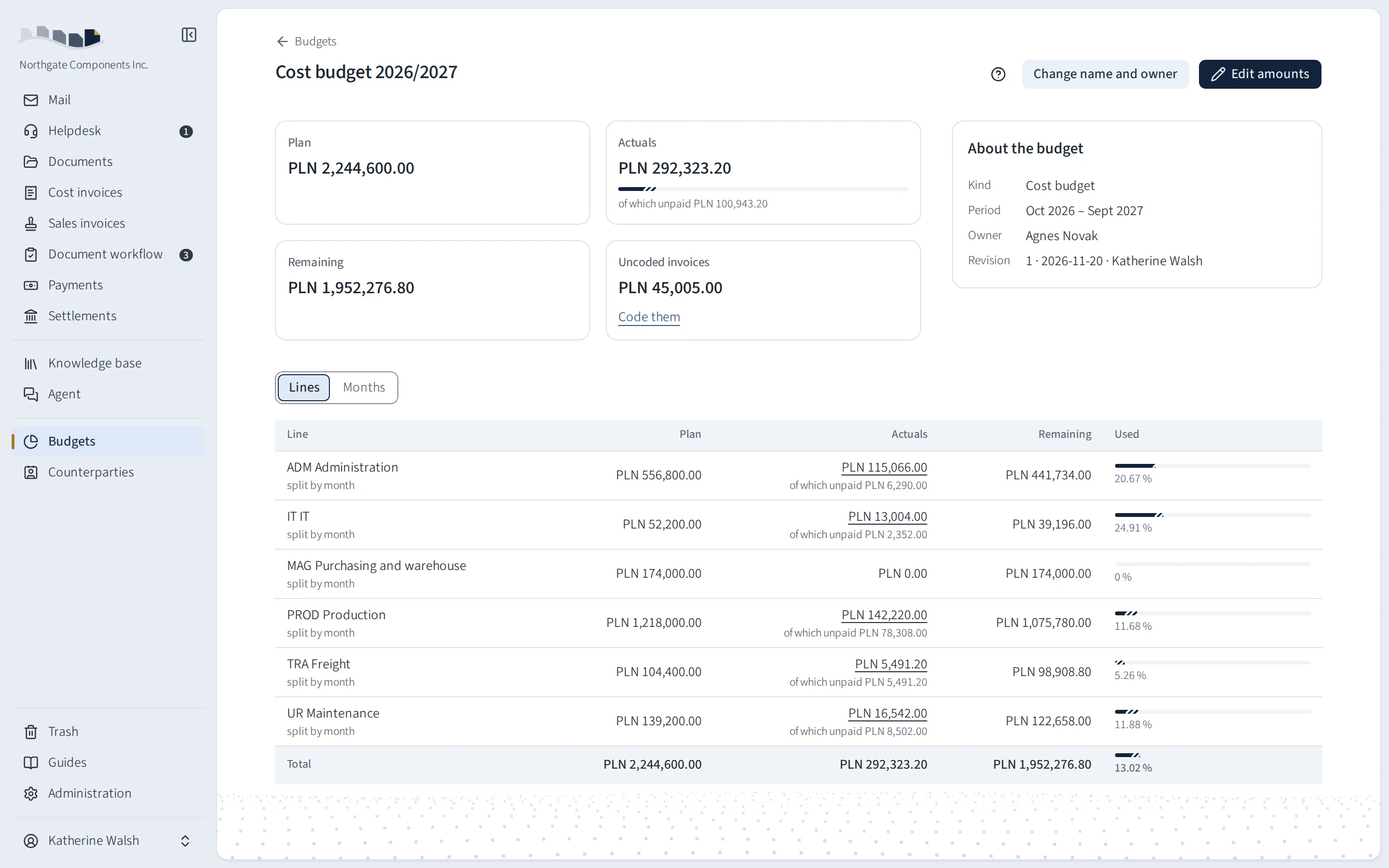
Plan the year by cost center or by vendor. Flisak keeps the actuals current from coded invoices and shows them to approvers.
- Plan, actual and remaining for every line
- Click an amount to see the invoices behind it
- Month-by-month view
A separate permission for every action
A role is a set of permissions. Coding an invoice, submitting it for approval, creating a payment batch and replying to a case each have a permission of their own.
- You can grant only the permissions you hold
- Restricted mailboxes and separate access to each knowledge base
- Roles from directory groups, SSO, two-step verification
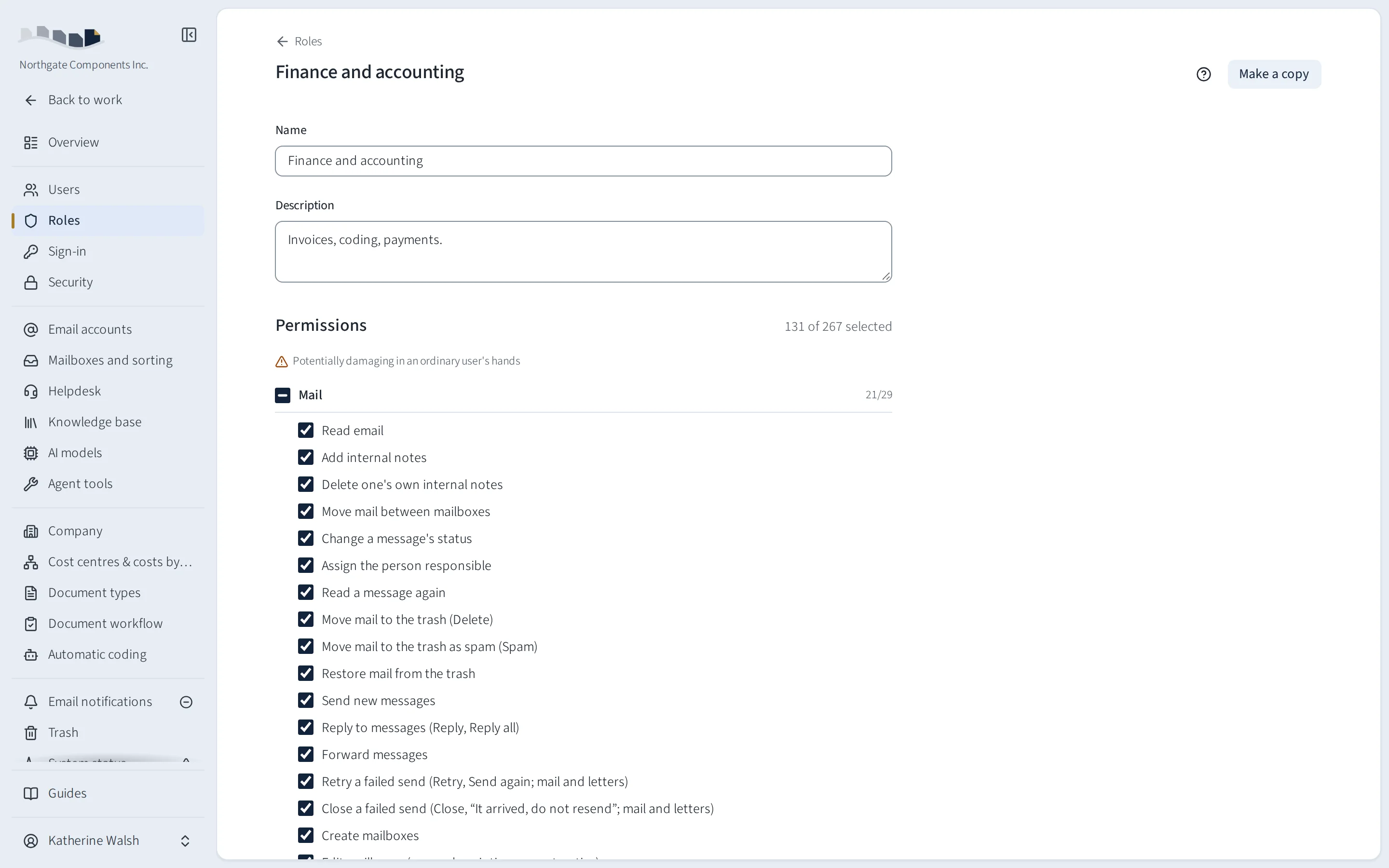
Purchase invoices
Code invoices to cost centers
Submit coded invoices for approval
Withdraw other people's invoices from approval
Helpdesk
Read cases
Take cases
The agent answers from your own documents
Ask the agent about the documents you've uploaded and it answers with its sources. It also looks up invoices and budgets. You can connect it to other systems and give it tools of your own.
- The source and page number with every answer
- It searches only documents you have access to
- You choose which knowledge bases it searches
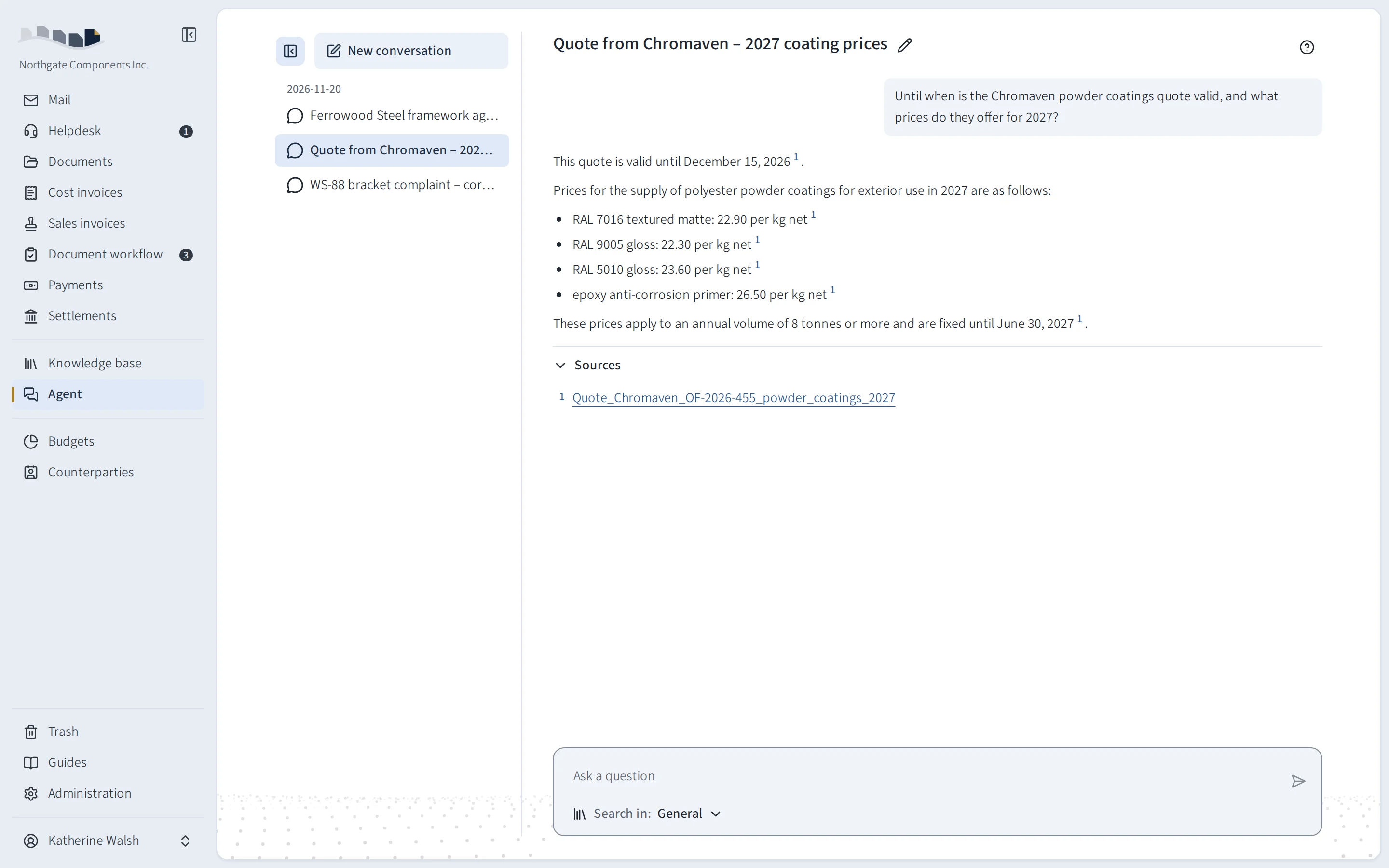
When does our office lease end?
The lease runs until December 31, 2027. 1
1 · Office lease agreement, p. 2
Invoice payments, prepared in Flisak
Gather the invoices due into a payment batch and Flisak writes the payment file for your bank. Later it matches the bank statement against the payments.
- Invoices due, with their due dates
- Overdue invoices stand out
- You authorize the payments in your bank
Northfield Supply Inc.
due Nov 20, 2026
Harbor Office Services
due Nov 22, 2026
Maple Logistics Ltd.
Overdue
Security
Where your data lives
Flisak is built small LLM first: every AI feature can run on a small, local language model. On your own server, you decide whether any of them uses an external provider. Before any text leaves, Flisak strips the personal data out of it. In the KML cloud, everything runs on servers in Canada and the US operated by KML.
On your server
Anonymization
Outside
In the KML cloud · servers in Canada and the US, rented or owned by KML
Outside
Permissions. People see only the mailboxes, documents and invoices they have permission for. Every step stays in the history.
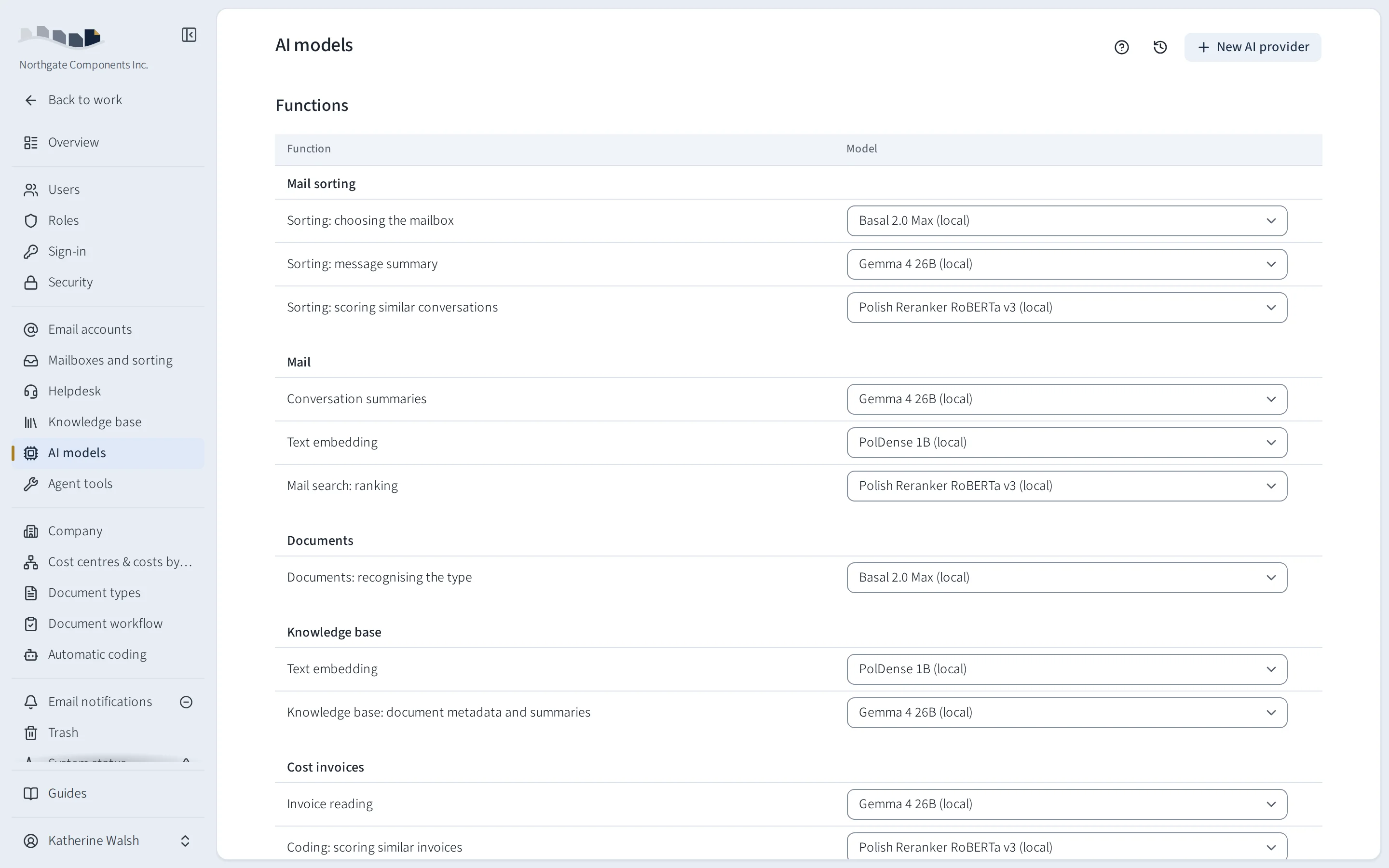
- You pick the AI provider
On your own server, a local model can handle every feature. You can also hand replies, summaries and sorting to an external provider.
- Automatic anonymization
Before text goes to an external provider, Flisak hides the personal data in it and puts it back into the answer. Invoice reading and summaries never leave your server.
- KML cloud in Canada and the US
Flisak and its models run on servers in Canada and the US that KML rents or owns. Your data doesn't go to outside AI providers.
See Flisak on your own documents
We'll walk you through it live and talk about how it would run at your company.
Book a demo